

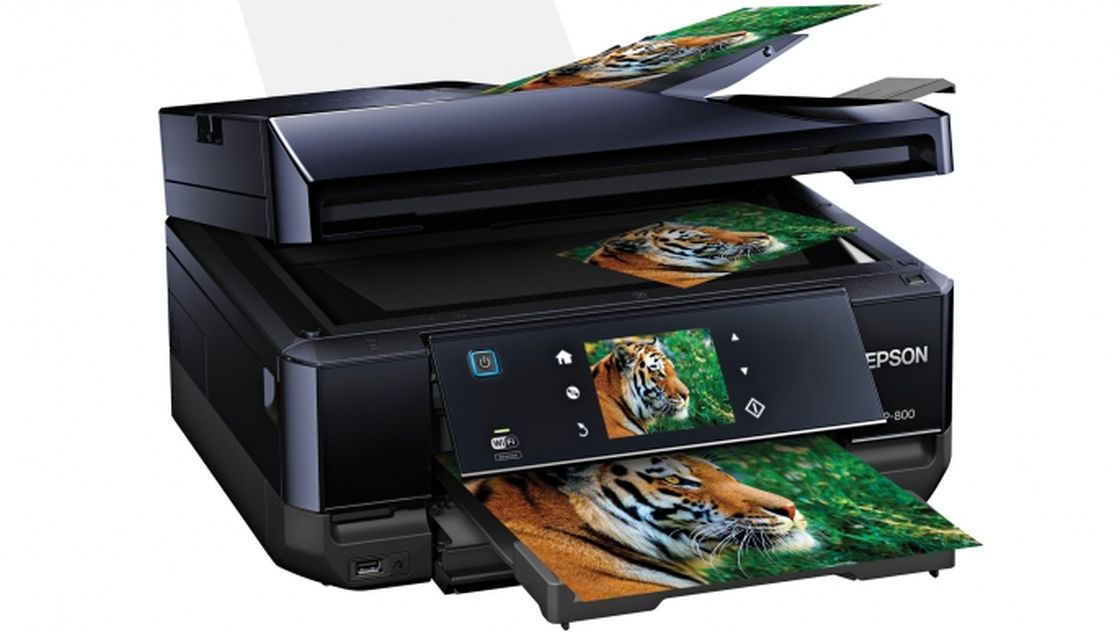
Morning folks, today I will show and talk about our Mother’s Day Giveaway Printer, the Epson XP-800 Small in one Printer.

I must admit I gave a love-hate relationship with home printers. Despite the paperless society we strive for, you still need them. And if you have to have one, you either get the cheapest one you can find for printing paper copies of documents or for a nominal investment, the Epson XP-800 Small-in-One, you get a big bang for your buck.
This was my first choice printer for today’s Global Sunday Morning News Mother’s Day Giveaway. Why?
The Epson XP-800 is a jack-of-all-trades. It is a four-in-one printer with a small footprint meaning it fits in small places. It scans, copies, faxes and prints.
Because it connects via USB direct to PC, or Ethernet cable to your home network or wireless WiFi, you can use it anywhere in the house, out of site.
Here are some key features:

Get daily National news
-Three separate paper feeders for standard size paper, smaller size and a single sheet rear feeder.
-Just the right size variable-angle touch panel with gesture display to run many functions on the printer as a stand-alone, yet also communicating with your PC back and forth when needed.
-Double sided printing, a huge plus. Save twice the paper and storage space for printed documents.
-Single colour cartridges for easily replacing just one colour, instead of all four.
-Edit and restore faded photos.
-The paper out tray automatically closes when the printer is shut off, keeping it compact.
-It will print personal design, photos and type on printable CDs and DVD’s and with Iron-on Cool Peel Transfer Paper you iron on printed pictures or type on almost any fabric.
-It goes to sleep when left alone cutting back on energy use.
-Print directly with Epson Connect from an iPhone, iPad, Tablet of Android Smart Phone. It also has Apple AirPrint and Google Cloud Print for accessing the printer from anywhere in the world.
-Print one picture of multiple smaller copies on one page.
-It’s part of the extensive Epson Creative Zone for business ideas like tri-fold brochures and real estate business postcards to home printing projects from baby showers to wrapping paper and more. You also get tips on using your printer in creative ways, including combination B/W photos. Print colouring books or ruled papers too.
For more information go to www.epson.ca.


Comments
Want to discuss? Please read our Commenting Policy first.