


Apple’s new mobile operating system, iOS 9, includes many new features designed to make your phone more useful. But one of those features might result in hefty data overage charges from your mobile carrier, if you aren’t careful.

Dubbed “Wi-Fi Assist,” the tool automatically switches you iPhone to use cellular data if a weak Wi-Fi signal is detected.
The feature could be useful if you have a big data plan – but the problem is it’s turned on by default. Those who don’t have big data plans may not notice when their phones have switched from using Wi-Fi.
Here’s how to turn off Wi-Fi Assist on iOS 9:

Get breaking National news
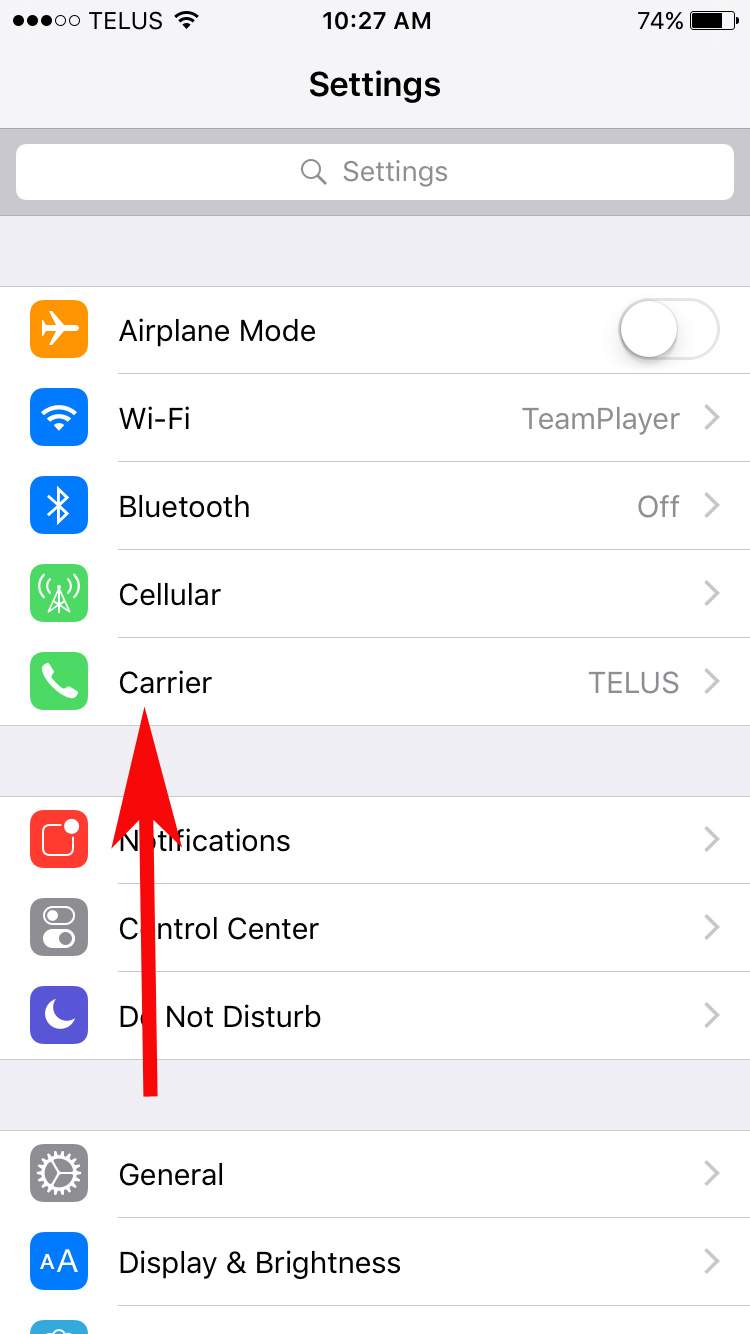
Go to the “Settings” app on your iPhone and select “Cellular.”


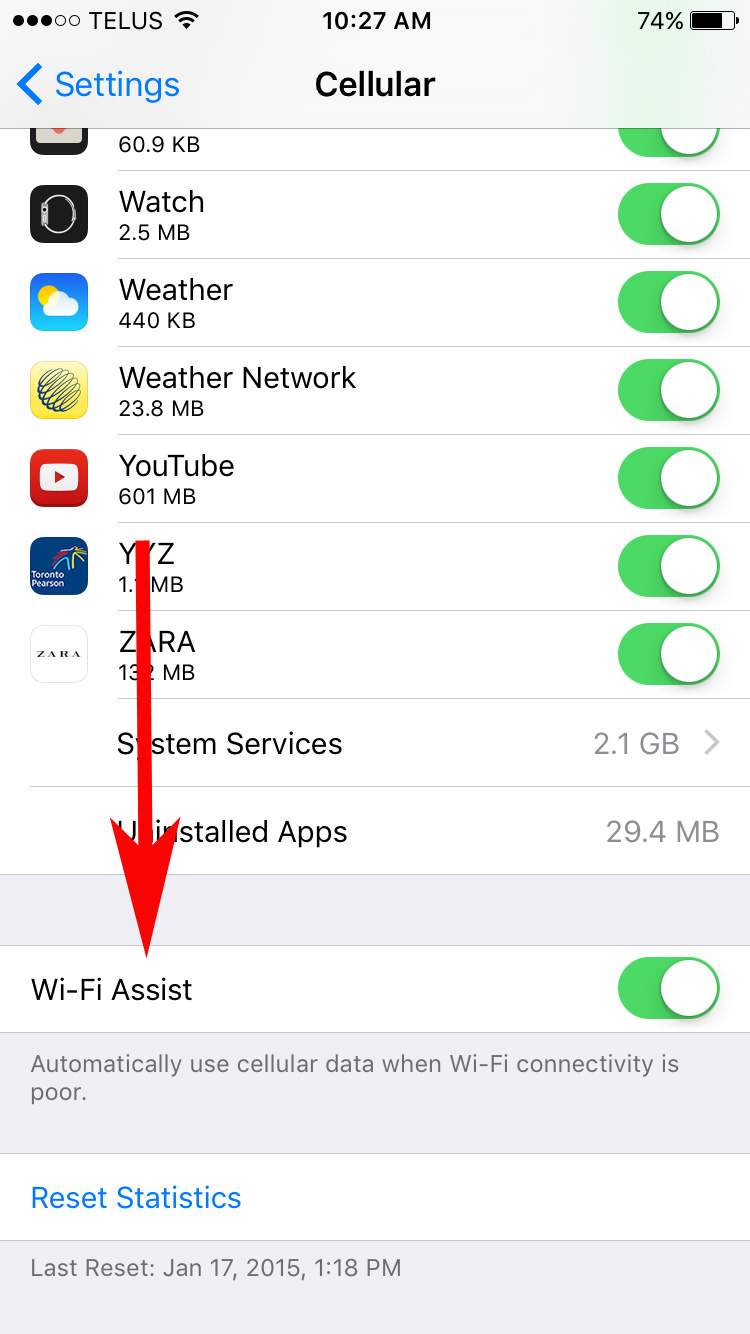
Scroll all the way to the bottom of the page and you will see the toggle for “Wi-Fi Assist.” Tap on the button to turn it off.


Comments
Want to discuss? Please read our Commenting Policy first.